Top auction group, Midwest.
Retrospective, 10,447 scans reviewed against later outcomes.
14 of 17
later-arbitrated vehicles had been flagged at scan (82.4%).
Put Mechanical Intelligence at outside check-in. Use the CarDr Arbitration Risk Flag to help route vehicles toward the auction lane or focused inspection—before they enter your operation.
Intended operational benefits. Results depend on your auction's volume, SOP and how the flag is used.
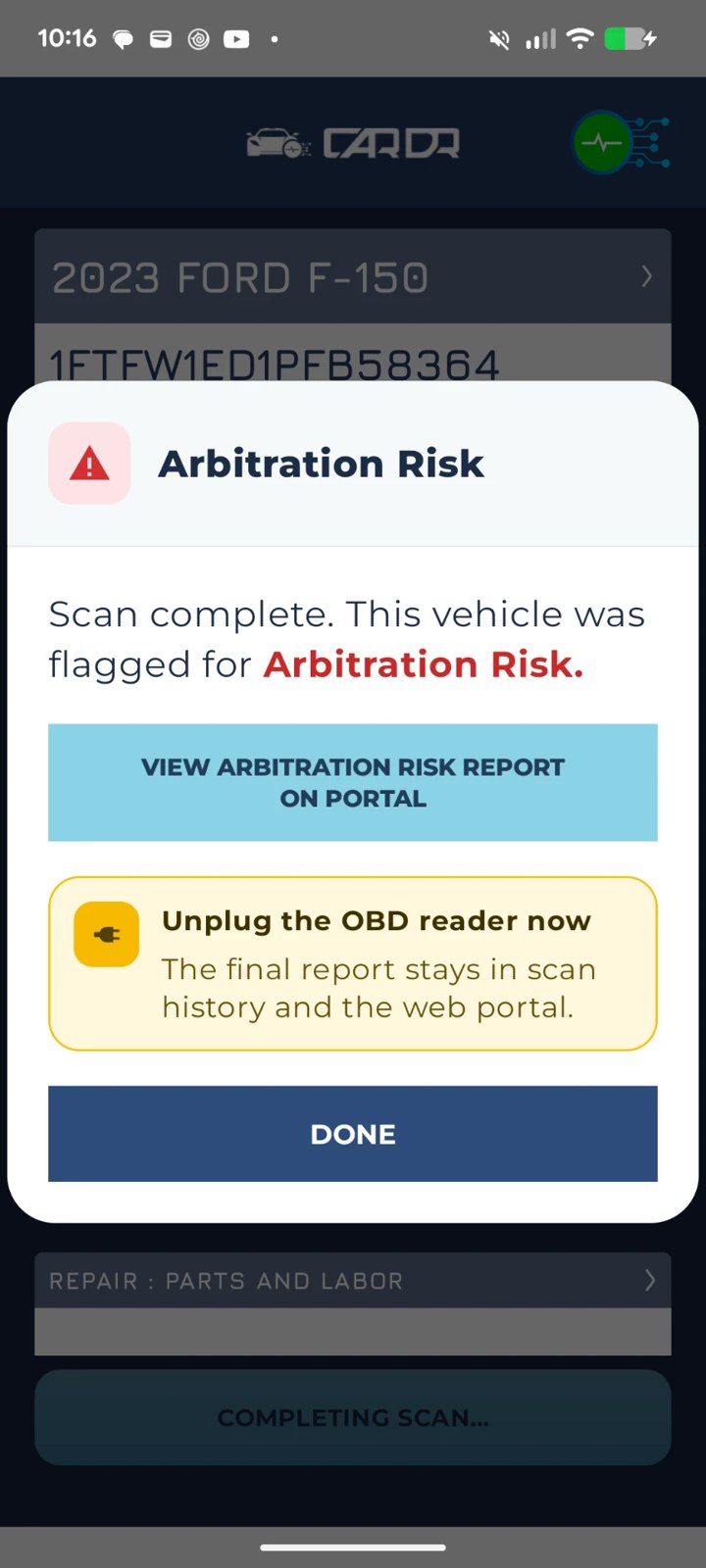
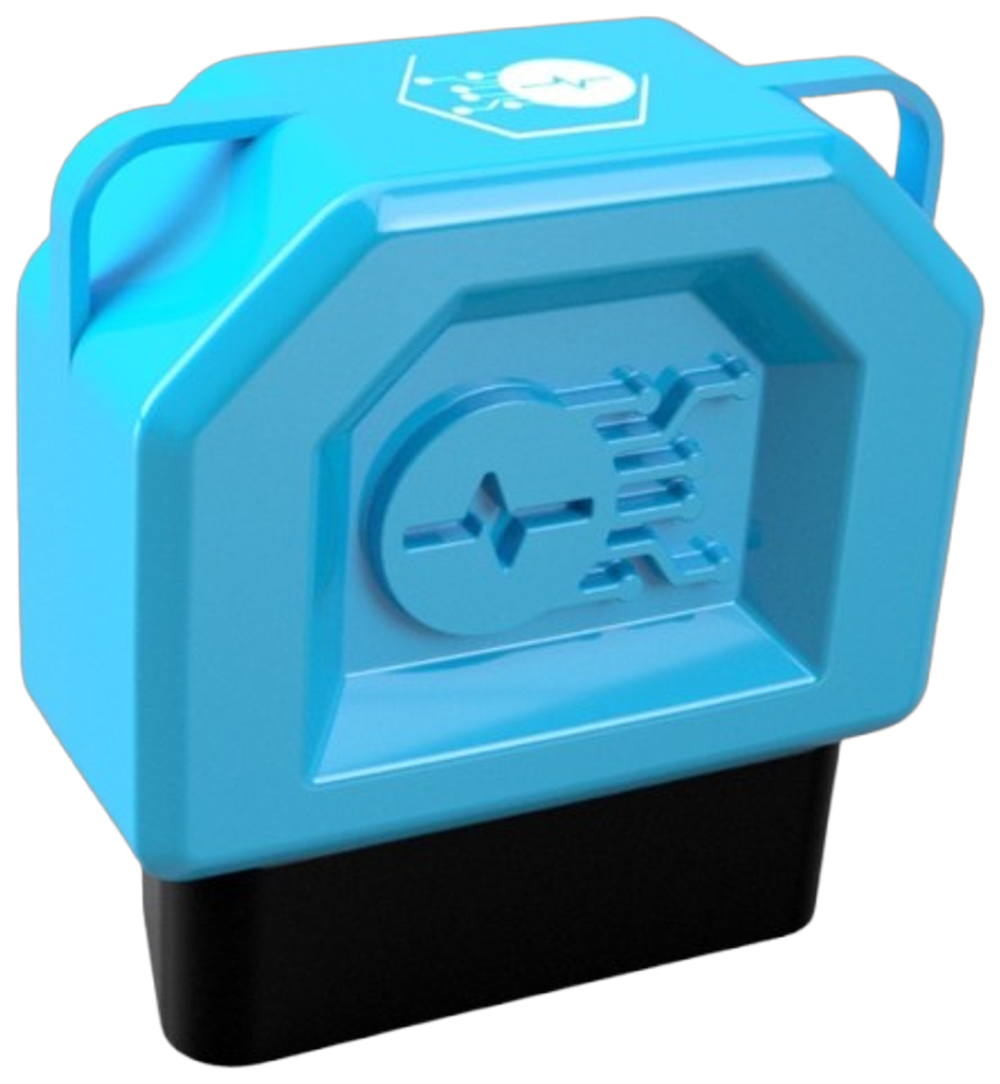
The actual CarDr app result and the ULTRA adapter.
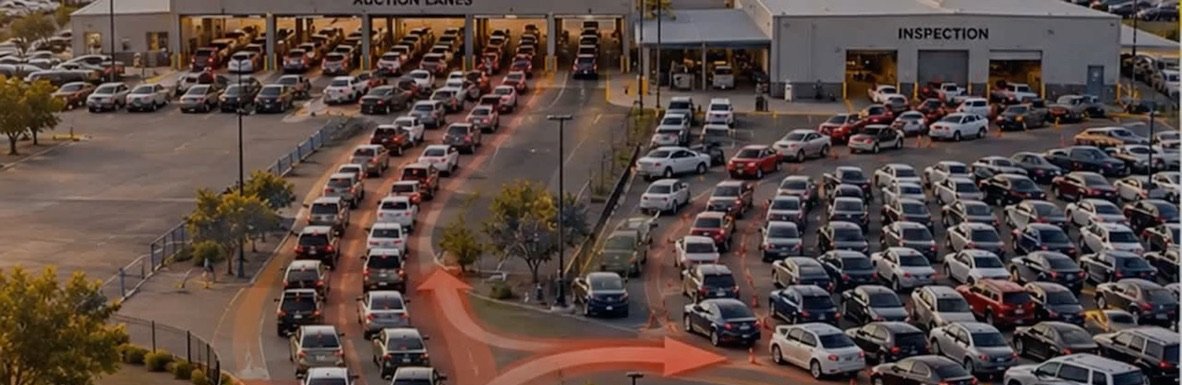
How Mechanical Intelligence at outside check-in turns a scan into a routing decision.
The inspector plugs CarDr ULTRA into each arriving vehicle outside the auction perimeter and reads the flag in the CarDr app. The flag tells the team which way the car goes next—before it takes up space inside.
Proceed toward auction lane
Inspect before release
Routing follows your auction SOP. No flag does not mean defect-free. "Green Lane" and red here are routing directions only—not the auction's sale-light status, a certification or a guarantee of vehicle condition. Left and right are from the approaching driver's view.
Standing cars don't make you money. Moving cars do. Triage at check-in moves the routing decision to the front of the process.
Plug the ULTRA adapter into the OBD port.
Scan: 138+ OEM protocols and 100+ ECUs in 15 seconds to about a minute.
Read the Arbitration Risk Flag: clean cars go to the lane, flagged cars go to focused inspection.
Northeast pilot: 148 of 179 vehicles cleared toward the lane (83.6%), 29 flagged (16.4%). See results · See the triage walk-through
Scan the vehicle before it is certified.
Cold + Warm Scan reads resting battery voltage first, then confirms which codes persist.
One merged report: severity-ranked findings with repair cost, ready for the certification review.
Repair figures are estimates, not losses. Certification follows your auction's policy.
Scan the vehicle when a post-sale inspection is requested.
Read severity-ranked findings with repair cost.
Attach the report to the inspection record, with its audit trail: scan time, device, location and inspector.
Live today in post-sale inspection at a top auction group, Midwest.
Repair figures are estimates, not losses.
The visible app result that supports the immediate routing decision.
The underlying diagnostic findings for inspection and documentation.
A separately requested, more detailed assessment. The score is computed only when this report is requested.
Whether reports reach listings or buyers before bidding depends on your auction's configured workflow and integration.
Tap to enlarge
Findings from this specific example. The score is a risk metric, not a 92% probability of arbitration. Repair figures in the reports are estimates, not losses.
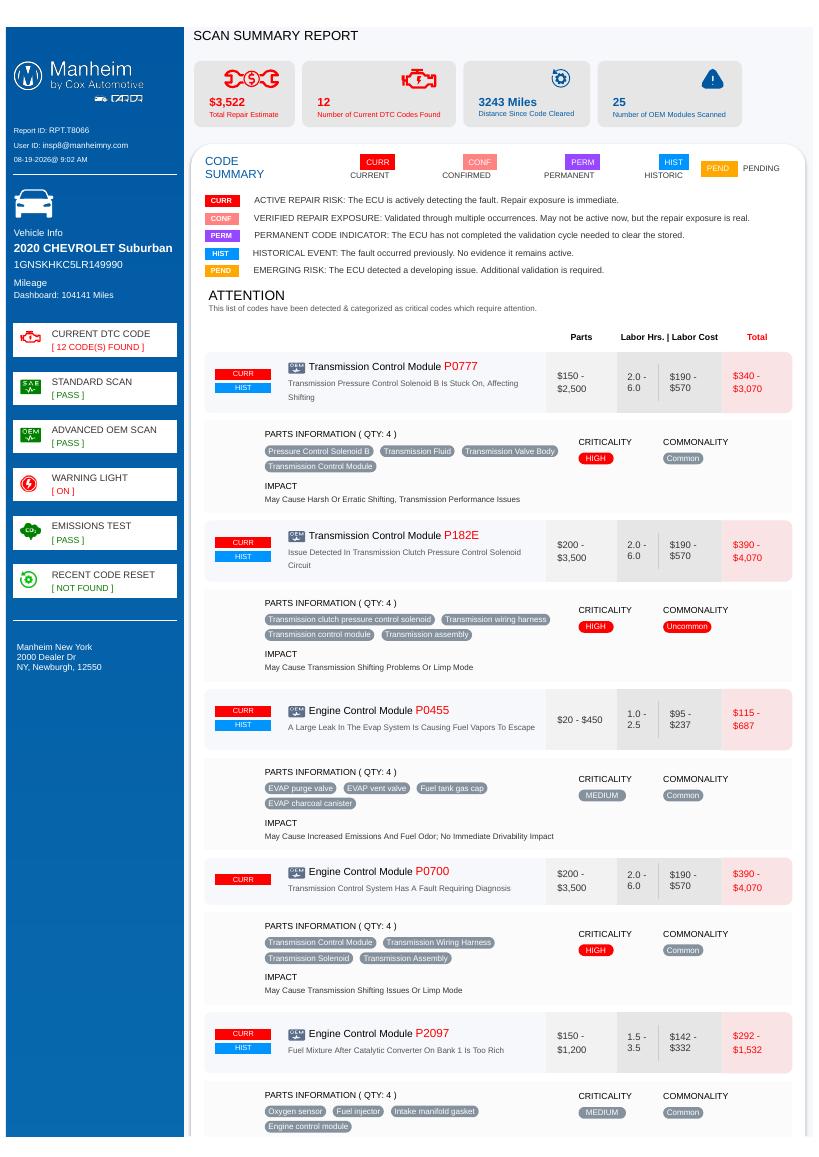
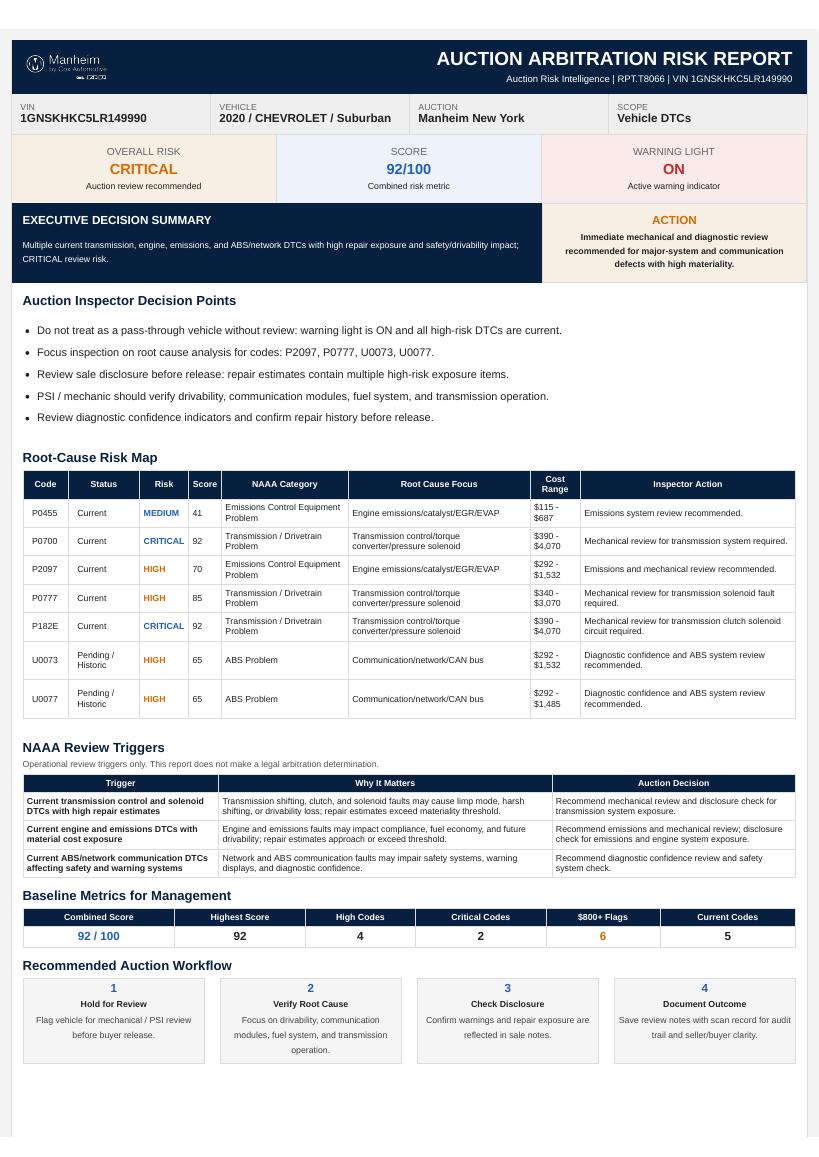
Two auction datasets, one 10,000-scan sample, and the modeled savings at 50,000 vehicles. Customer names are withheld.
Retrospective, 10,447 scans reviewed against later outcomes.
14 of 17
later-arbitrated vehicles had been flagged at scan (82.4%).
Operating pilot, 179 unique vehicles.
83.6% is the unflagged share, not a reduction in arbitrations.
about $825K
Modeled, gross, before CarDr fees. Try your own numbers
Pilot figures reflect the datasets described; modeled figures are illustrative and not a guarantee.
Unflagged cars head toward the lane without waiting in a broad inspection queue.
Inspectors focus on the vehicles the flag points to.
The route is set once at check-in, cutting avoidable moves and repeat work.
Teams have mechanical information before sale or release.
Findings support review, disclosure and documentation before the block.
Illustrative model. Replace every input with your auction’s actual volume, policy, labor, and claim data. Faster cycle time and consignor satisfaction are not included. Not a guarantee of results.
Proof from two auction datasets and the modeled savings at 50,000 vehicles, on one page. Customer names withheld.
Set today's numbers and what each route means at your auction.
Scan incoming vehicles with CarDr ULTRA before they enter.
Route with the flag and record inspection outcomes.
Vehicle flow, inspection effort, handling and arbitration outcomes versus baseline.
At outside check-in, before the vehicle enters the auction. An inspector plugs CarDr ULTRA into the OBD port and reads the result in the CarDr app.
It goes to inspection before release, per your SOP. Your team can review the Full Scan Report and request an Arbitration Risk Score Report before deciding the next step.
No. It means the scan did not raise an Arbitration Risk Flag, so the car can follow your normal route toward the lane. It is not a sale-light status, certification or guarantee.
The flag appears after the scan and supports routing. The score is computed only when a detailed Arbitration Risk Score Report is requested. The score is a risk metric, not a probability of arbitration.
Routing follows your SOP. A pilot starts by agreeing what each route means at your site.
That depends on your auction's configured workflow and integration. Reports are not automatically attached to listings or shown to buyers before bidding.
Route every arriving car with a clear reason—and put your inspectors where they matter.