
The scan tool lives in your pocket.
CarDr OBDIQ pairs with ULTRA for OEM-level diagnostic scans, parts and labor repair estimates, resting battery voltage, supported code clearing and a saved report. Full scans typically take 15 seconds to about a minute; coverage and results vary by vehicle and system.
iOS 15+ and Android 9+. Free to download — pairs with the CarDr ULTRA OBD device.
From fault codes to a clearer decision.
Explore real OBDIQ screens and a real scan report. The same diagnostic capabilities come with every package.
See what the vehicle reported
OEM codes and supported systems, not just a warning light.
Where to find itFull Scan Report → Code Summary and module findings.
Read OEM diagnostic codes from engine, transmission, ABS, airbag and other supported systems. Coverage varies by vehicle and system.
Original CarDr screens and anonymized report excerpts, shown as illustrative examples. Vehicles and app versions vary; sample readings are not predictions for your vehicle.
Faster, deeper, wider.
The same three advantages that make ULTRA different on the lot, in the palm of a technician's hand.
Results in 15 seconds to about a minute (vehicles with more ECUs take about a minute)
Vehicle monitors and full diagnostic results before you've finished walking around the car.
90%+ OEM coverage
Advanced B, C, U and P codes that generic OBD-II readers never surface.
138+ OEM protocols
Dynamic pin reconfiguration reaches 100+ ECUs across virtually every make on the lane.
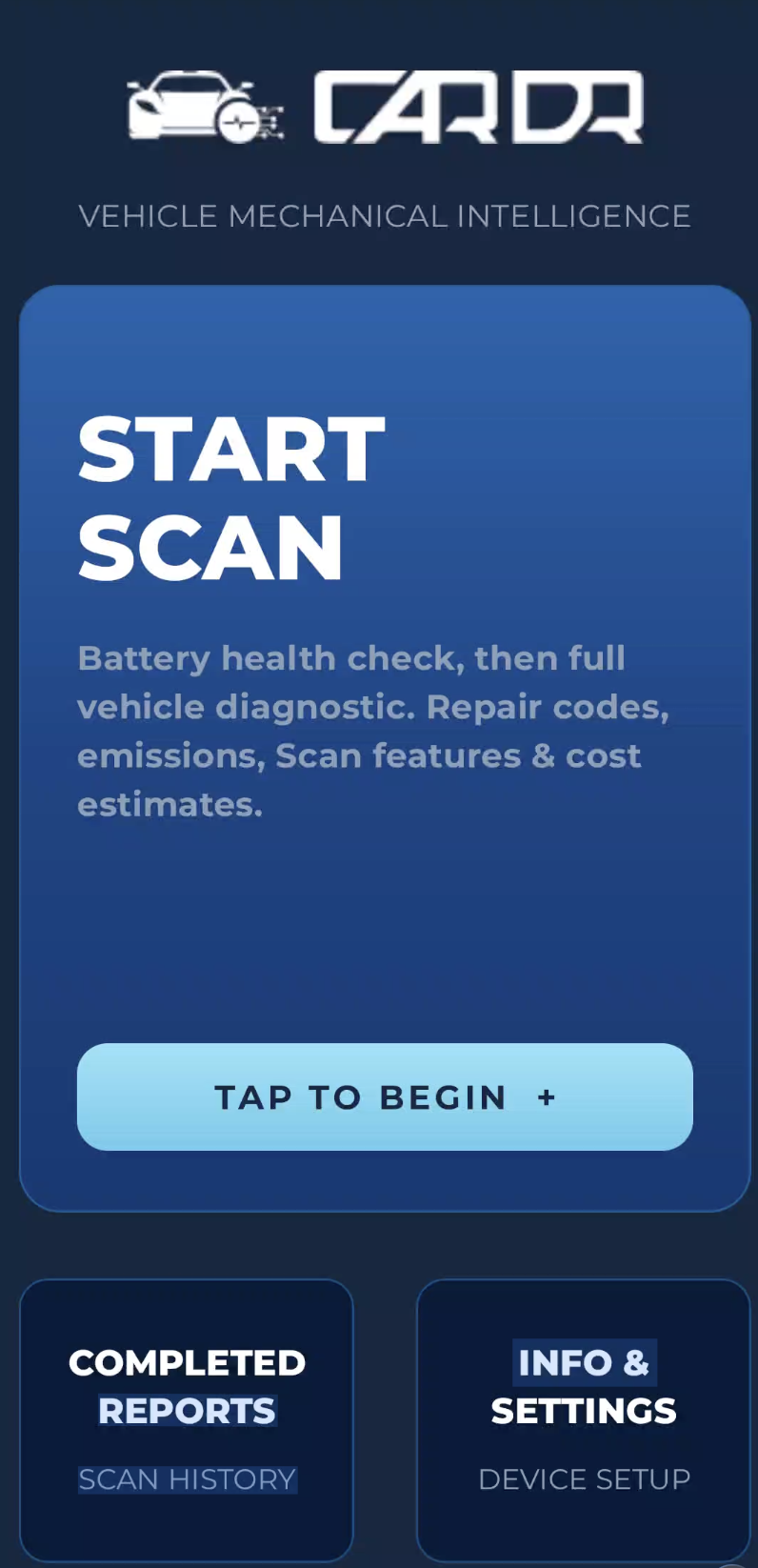
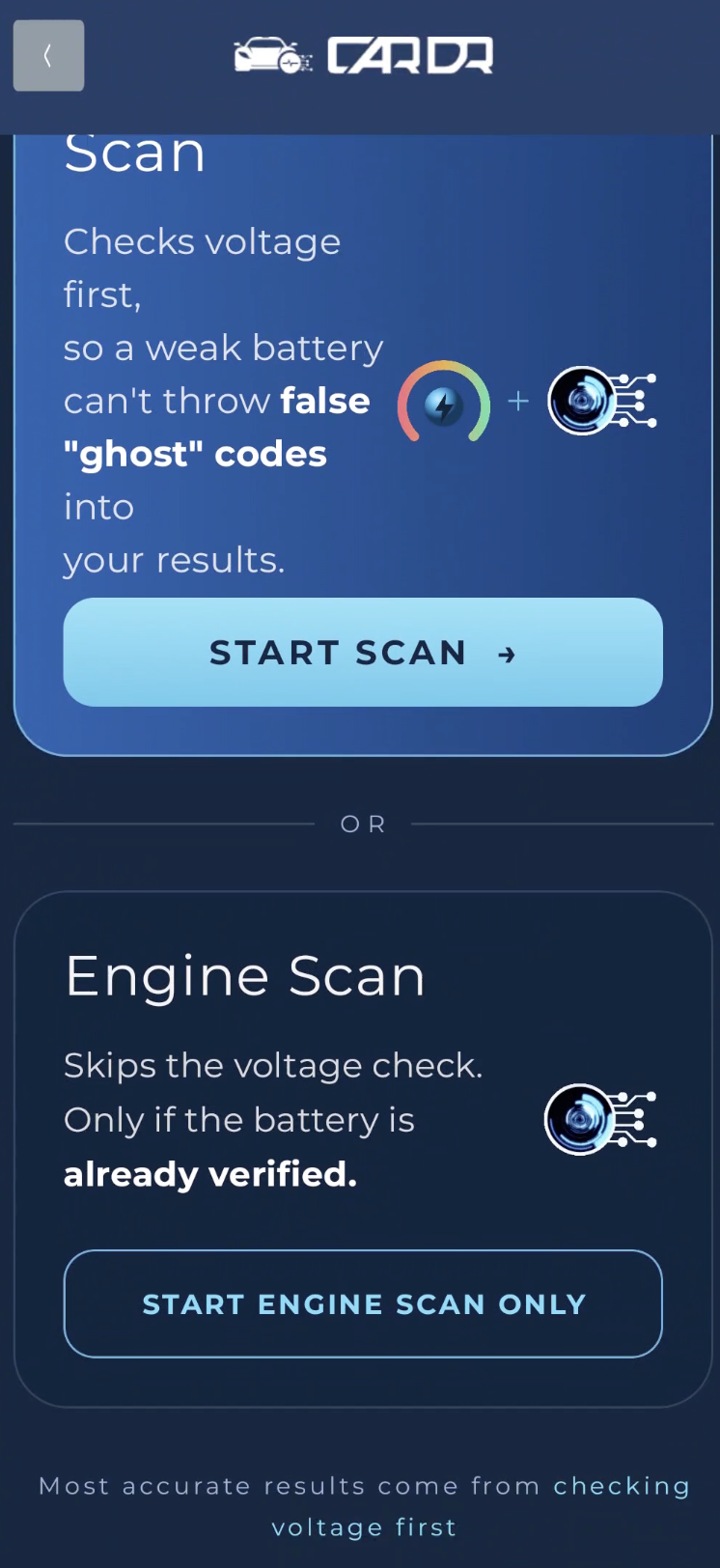
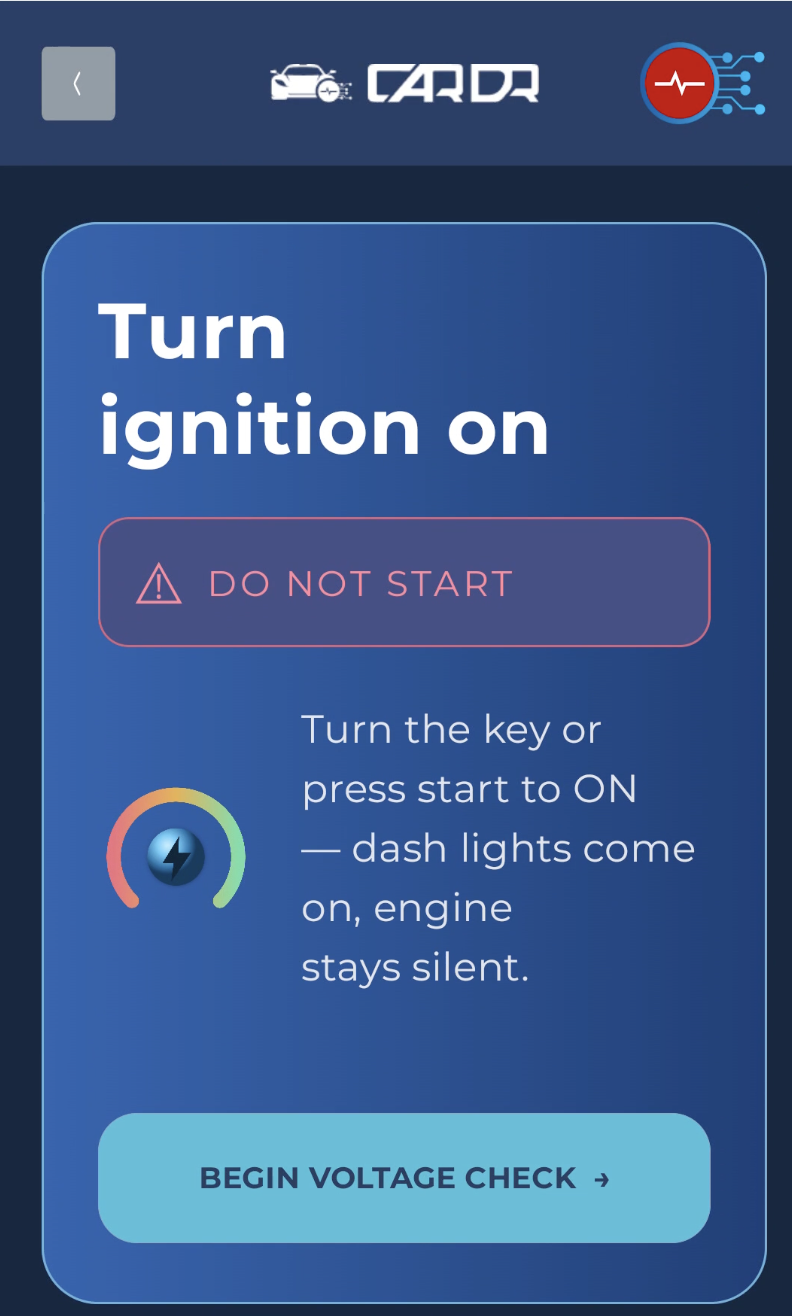
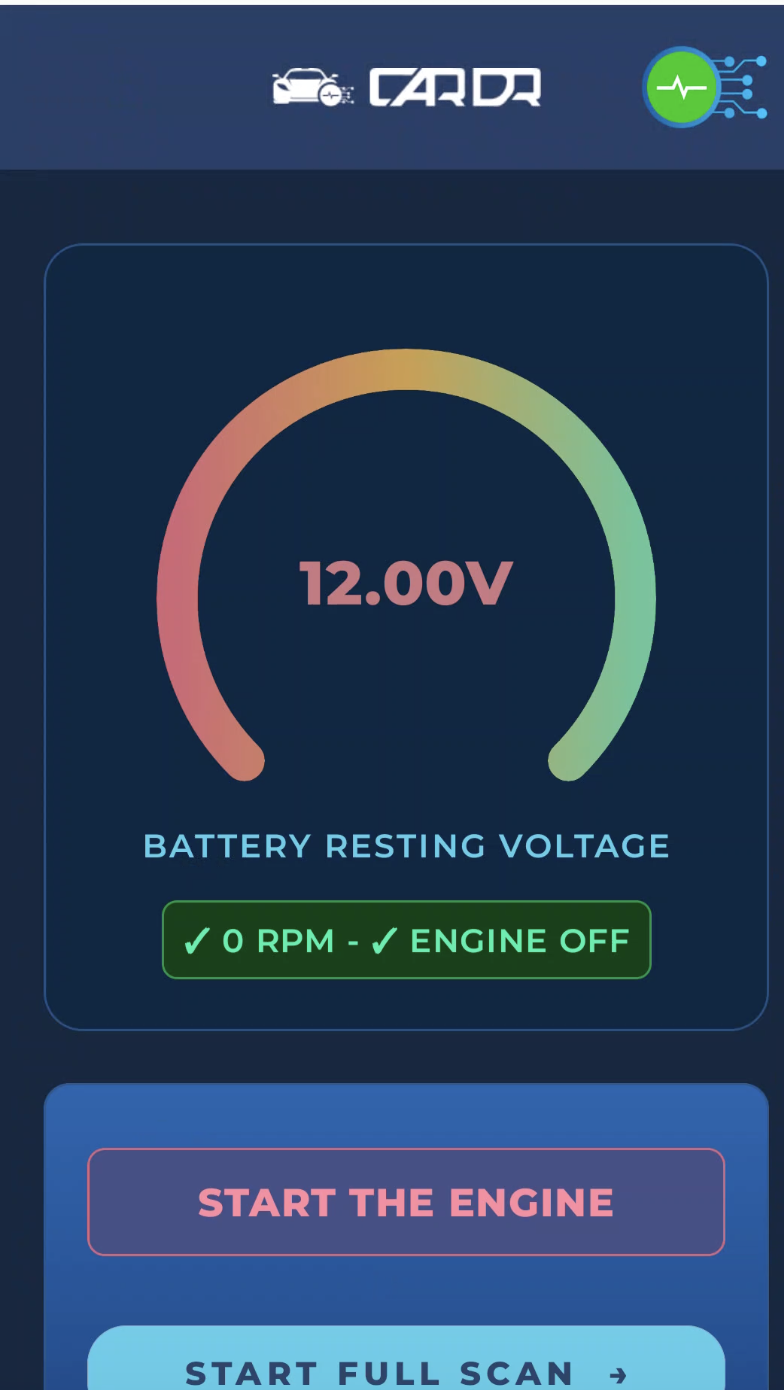
Six screens, one scan.
Straight from the current build — the exact flow an appraiser or technician runs on a real vehicle.
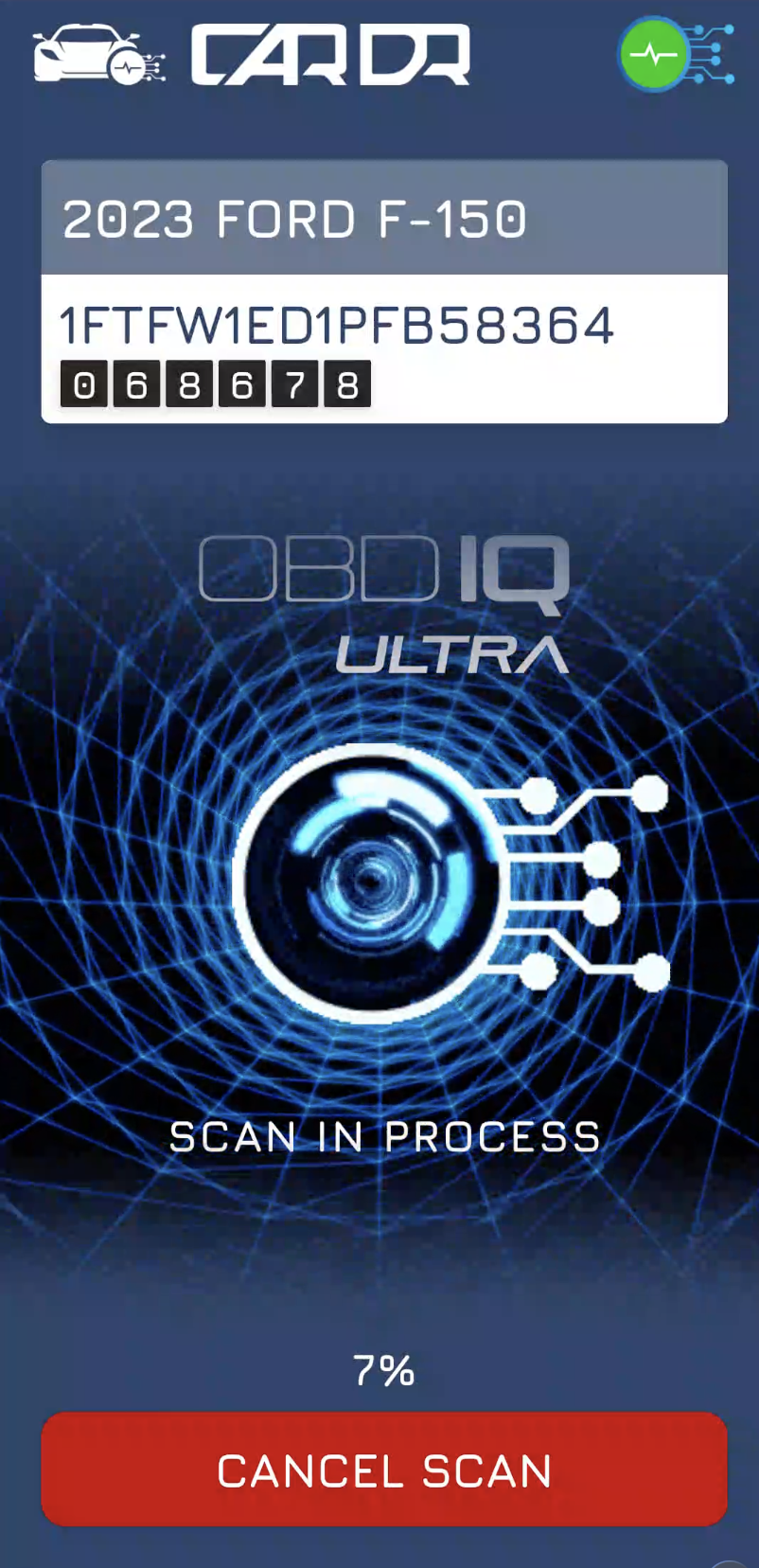
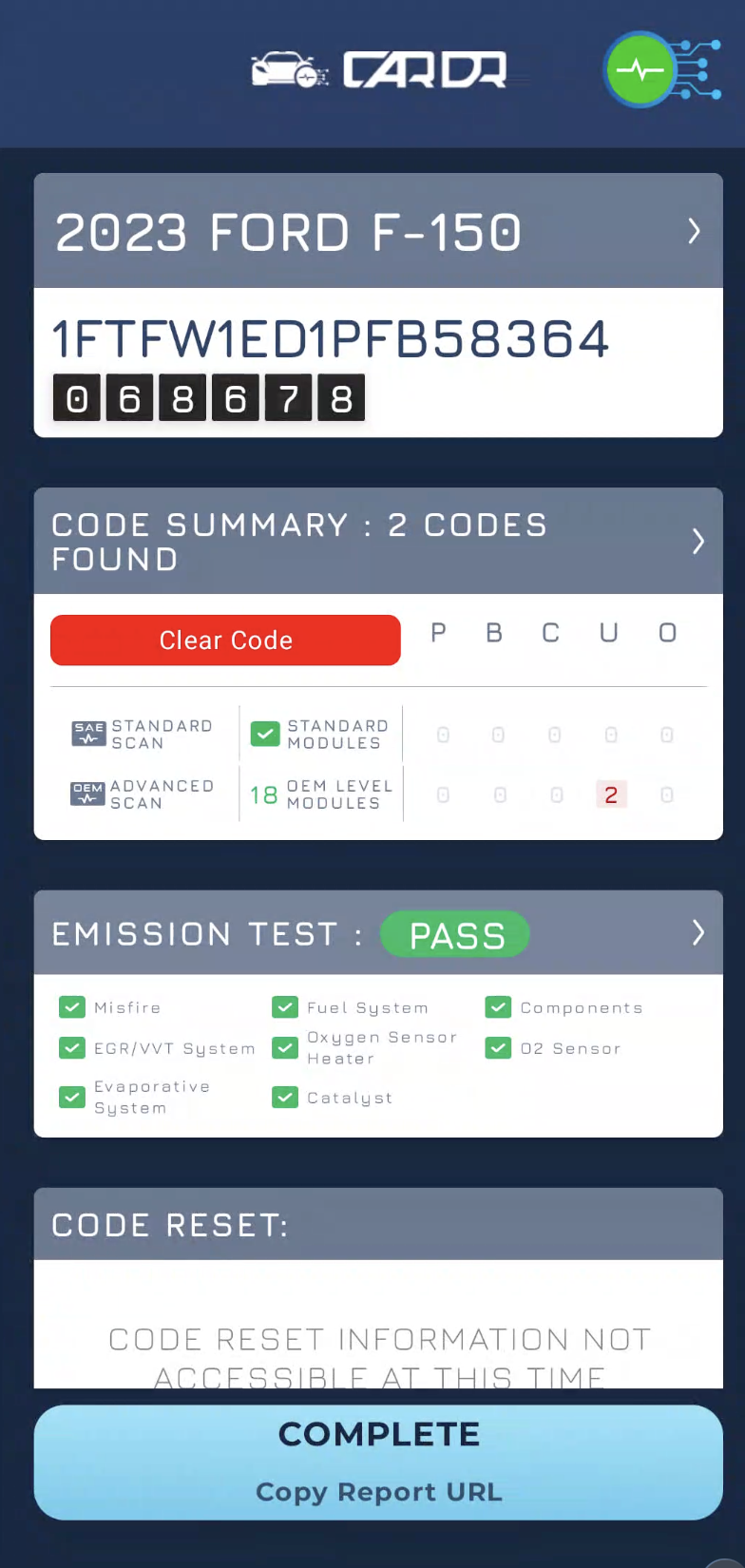
Watch the app scan a live vehicle.
Resting battery voltage in every scan report through full module sweep to finished report — uncut, on a real car.
Want the longer vertical cut? See the full demo page.
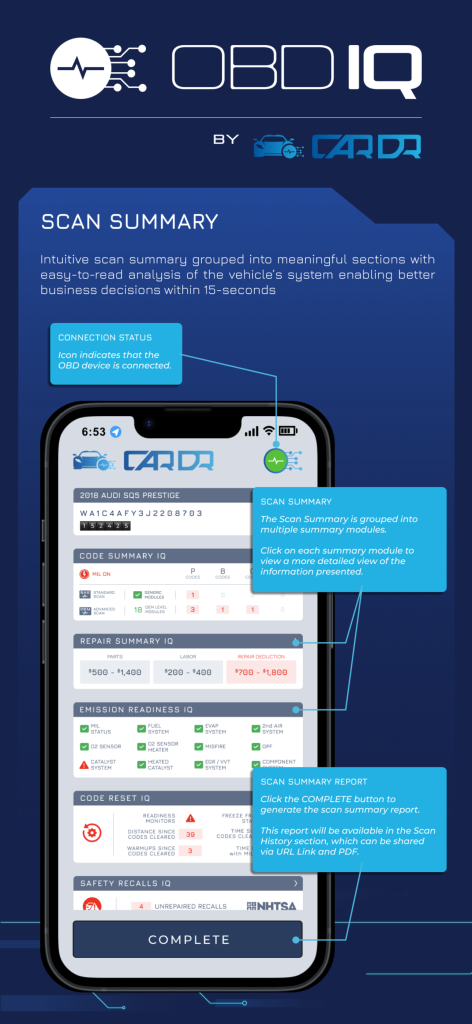
Eight IQ modules on every scan.
Each scan produces a structured read — not a code list you have to interpret yourself.
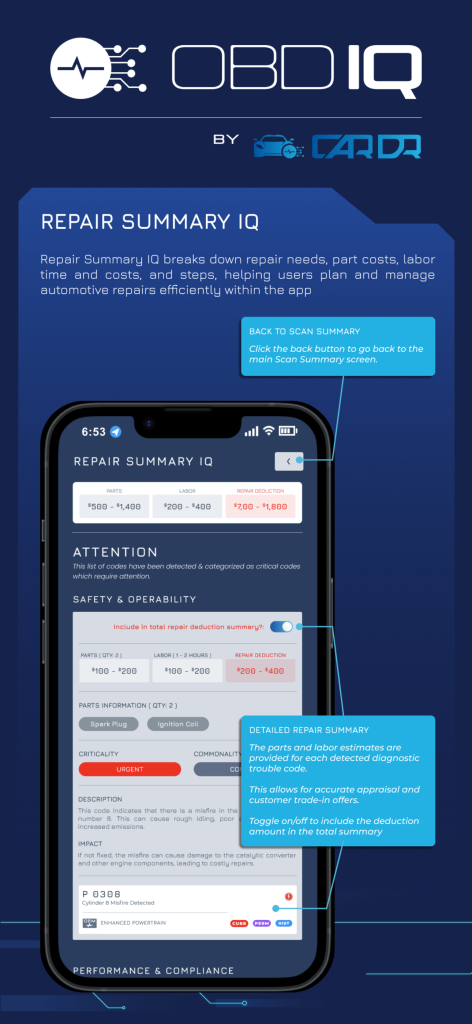
Repair Summary IQ
A breakdown of repair needs with parts and labor cost estimates priced to the vehicle.
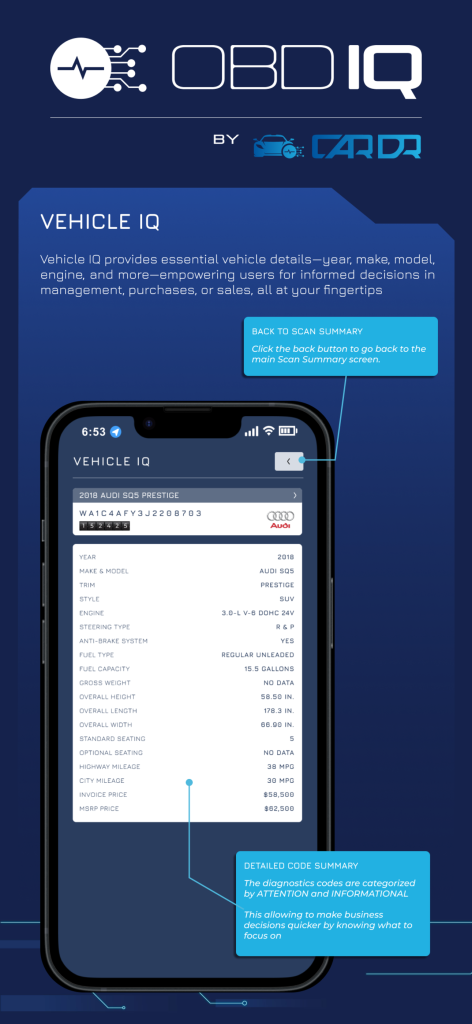
Vehicle IQ
Year, make, model, trim, drivetrain and engine specifics decoded straight from the VIN.
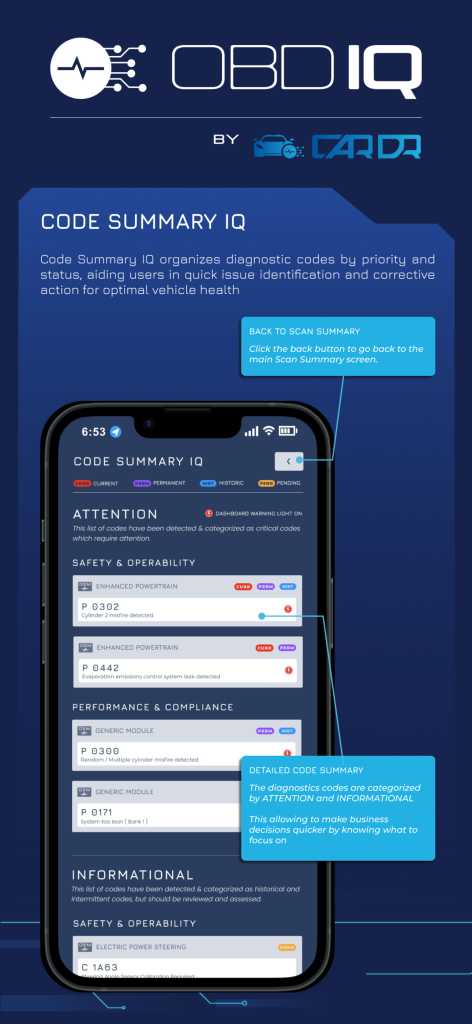
Code Summary IQ
DTCs prioritized and categorized by severity so critical faults surface first.
Emissions Readiness IQ
Monitor status across O2 sensor, catalyst, EVAP and EGR — inspection-ready before you drive.
Vehicle History IQ
Maintenance, repair and ownership history tied back to what the current scan is seeing.
Safety Recalls IQ
Open NHTSA recalls for the VIN, folded into the same report.
Pricing Valuation IQ
Real-time market value estimates informed by local geographic data.
Code Reset IQ
Detects codes cleared shortly before the scan — present on roughly 20% of units.
What the finished report looks like.
Five things the app protects.
Protect your profits
Identify hidden issues before accepting a trade-in, preventing costly surprises to your margin.
Reduce risk
Catch what traditional OBD readers miss and cut post-sale dissatisfaction and legal exposure.
Increase efficiency
Complete full diagnostics faster and move inventory through recon on quicker decisions.
Build trust
Hand buyers a detailed vehicle health report — transparency closes deals.
Minimize liabilities
Avoid selling units with undetected problems, and the claims that follow them.
Download CarDr OBDIQ today and start maximizing your profits while minimizing risks.
Free to download · iOS 15+ · Android 9+