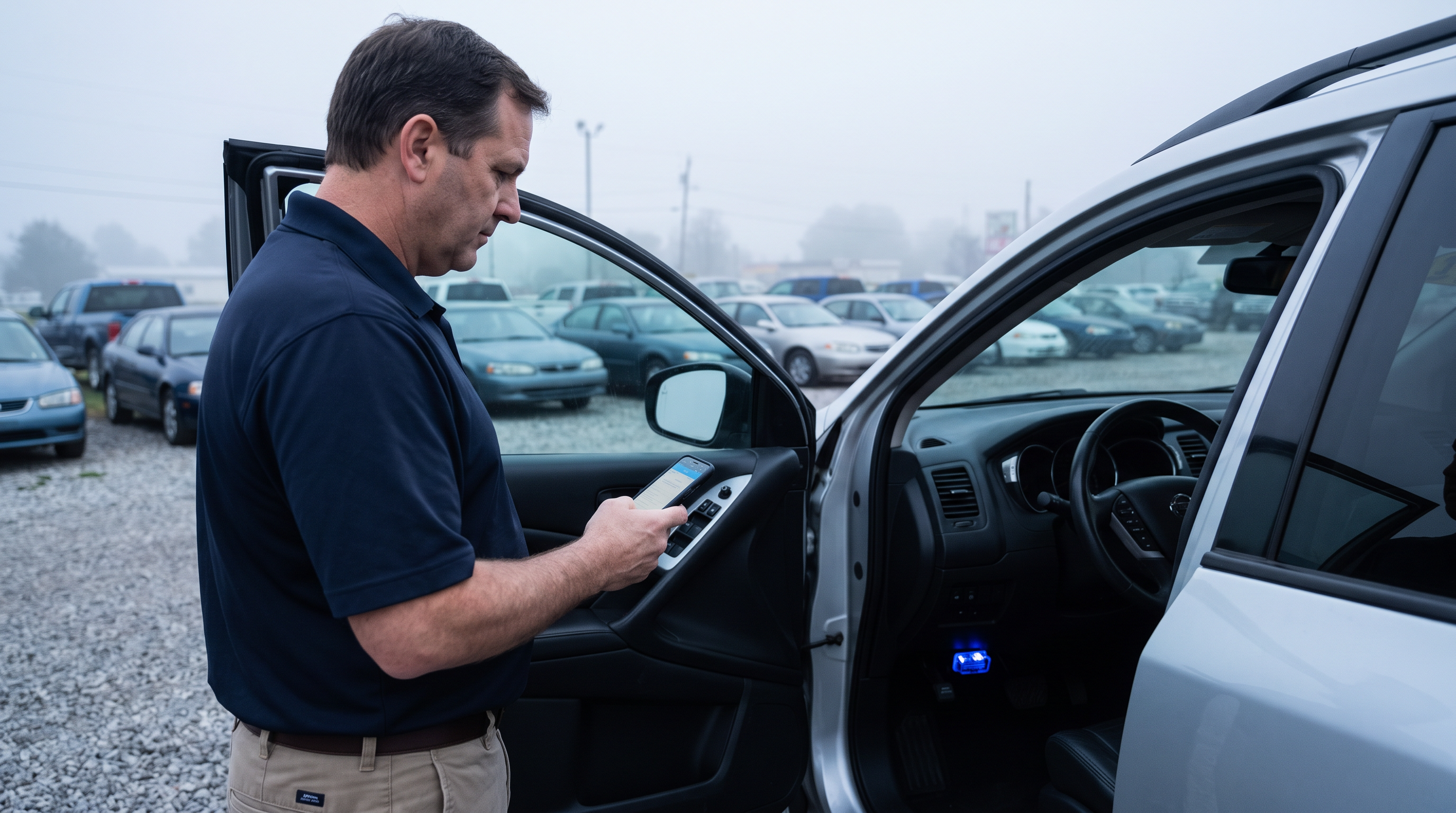
Trade appraisal
Establish mechanical condition at appraisal instead of discovering it in recon.
- Recently cleared codes and warning-light state
- Repair cost bands tied to the findings on that VIN
See hidden mechanical exposure, protect your bid and understand recon risk before you buy.
An OEM-level CarDr scan reads the whole vehicle: 138+ OEM protocols and 100+ ECUs, in 15 seconds to about a minute.
Starter kit $599. Month-to-month. 30-day cancellation.
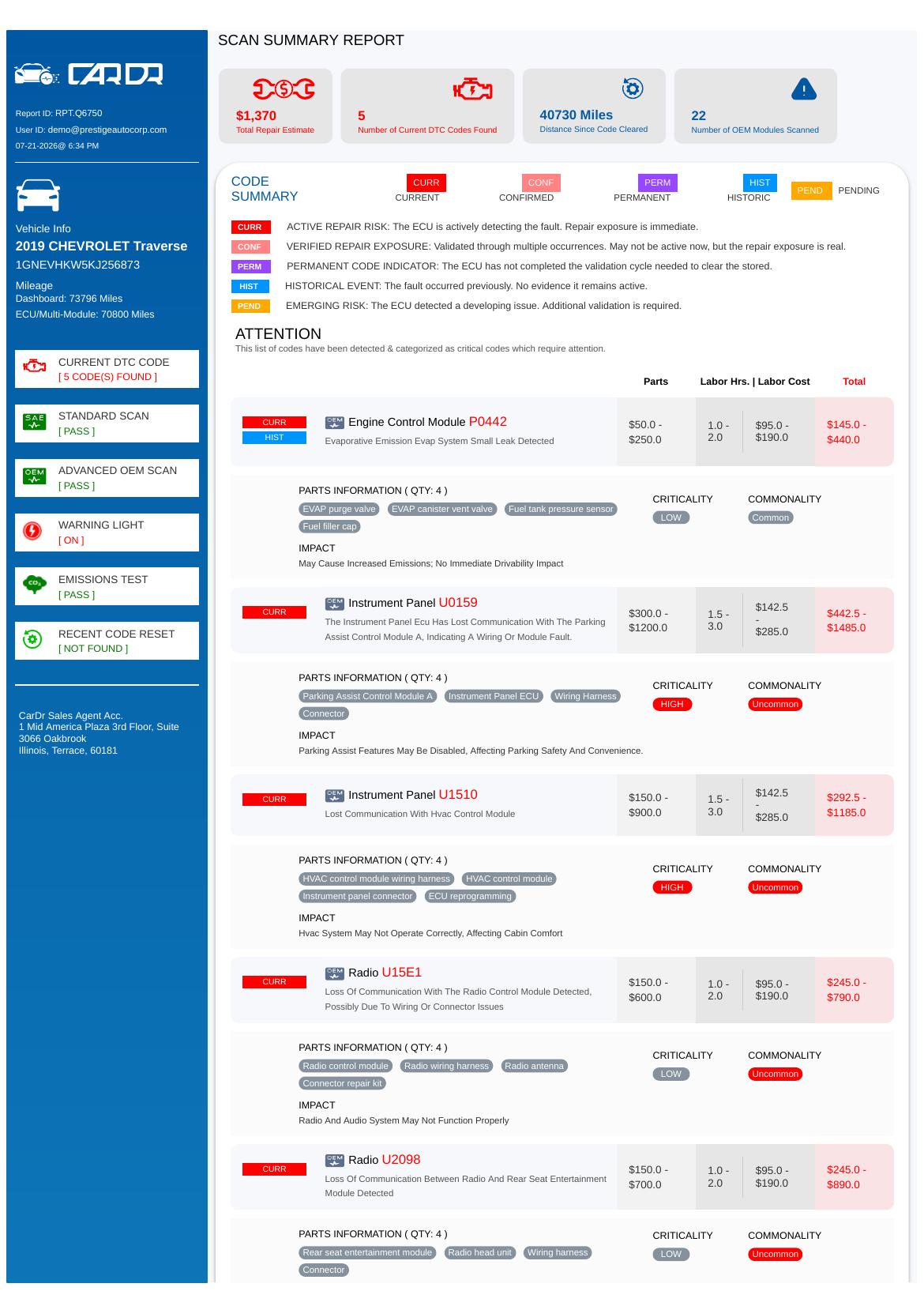
A code list tells you what the vehicle reported. A purchase decision needs to know what it will cost and what you should hold back from the bid.
Plug the ULTRA adapter into the OBD port. Open the CarDr OBDIQ app.
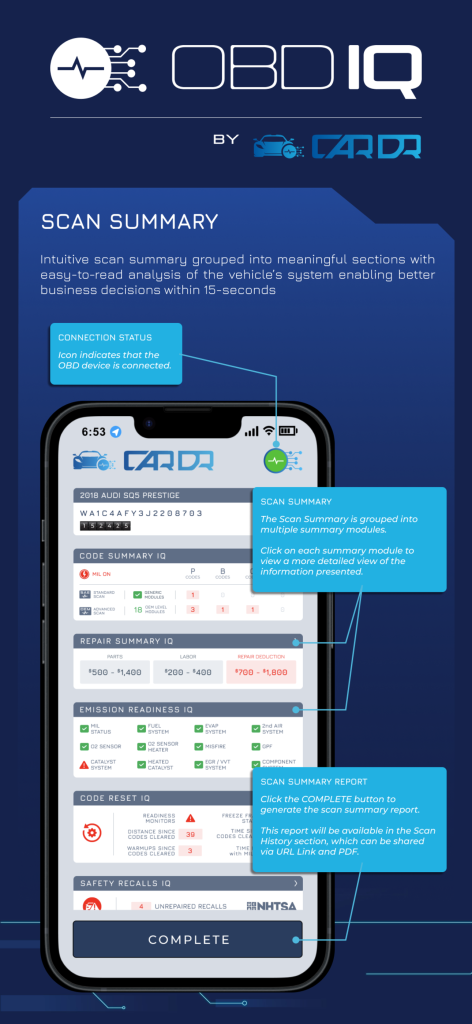
Cold Scan (ignition on, engine off) captures resting battery voltage and the ECU baseline. Warm Scan (engine running) confirms what persists. 138+ OEM protocols, 100+ ECUs, 15 seconds to about a minute.
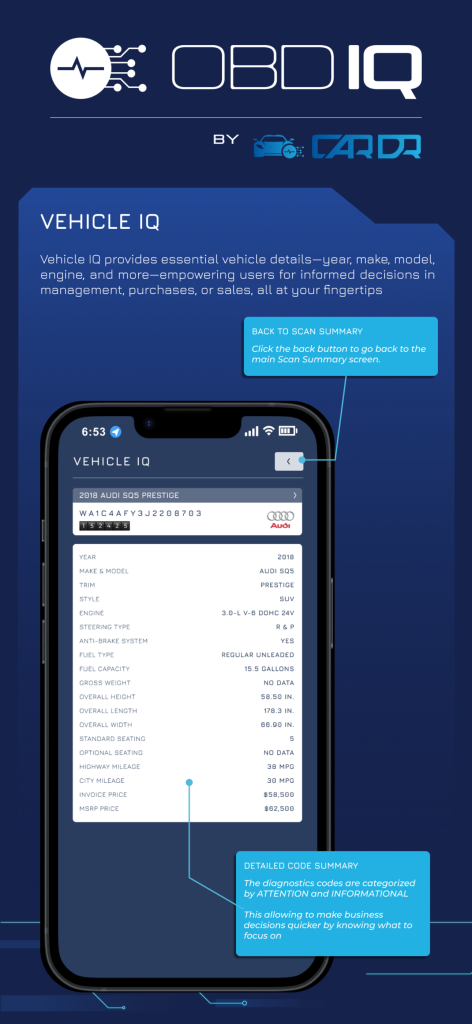
One merged report: severity-ranked findings, repair cost, warning-light and reset status. Set your bid, your reserve or your pass.
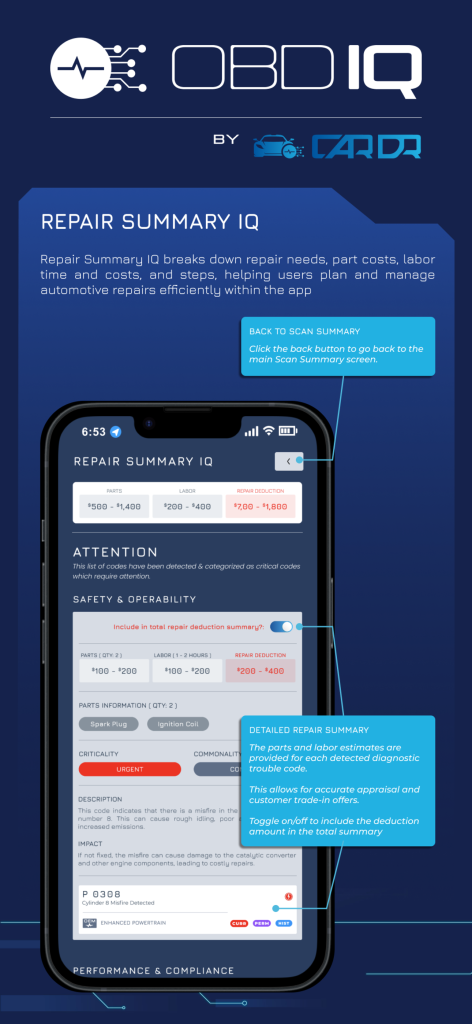
Establish mechanical condition at appraisal instead of discovering it in recon.
Scan before you commit capital on a unit you have never driven. Bring diagnostic evidence to the bid, not a walkaround.
Route the unit to the right shop the day it lands, with a known scope.
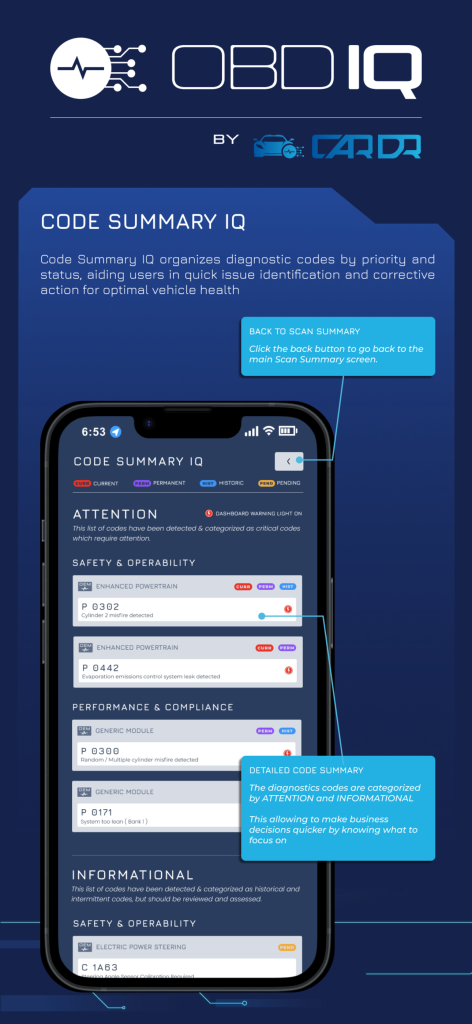
Document what you knew, when you knew it, on every unit you retail.
A code reader at the lane would not have told you.
A scan at appraisal finds a $1,200 repair and past resets. The dealer negotiates $1,000 off the trade.
The sample is auction scan data; the example is illustrative and not a guarantee.
No — billing is month-to-month. The Starter kit is $599 for 2 devices + 50 scans, then $299 a month for 50 scans shared across devices, with 30-day cancellation. Payment by major credit card, debit, or ACH.
Many scans complete in 15 seconds to about a minute (vehicles with more ECUs take about a minute), although actual scan time varies by vehicle — some vehicles have more ECUs and require more communication time than others.
A compatible iPhone or Android phone, Bluetooth turned on, mobile data turned on, the OBDIQ app installed, your login credentials ready, the vehicle started, and the ULTRA adapter fully seated in the OBD port.
On almost all vehicles since 1996: under the dash on the driver's side, below the steering wheel. Some are behind a small flip-down panel. It's the 16-pin trapezoid connector.
Advanced B, C and U codes across 100+ ECUs, recently cleared codes, transmission and radar codes, and per-VIN repair cost bands.
Yes — no extra charge for additional users; your CarDr admin adds them in the web portal.
Email support@cardr.com or call (800) 932-1120, option 2 — Monday–Friday, 7am–7pm CT.
From diagnostic codes to a buying decision. The forthcoming Dealer Appraisal Report will translate OEM-level diagnostic results into acquisition risk, repair exposure and a recommended dealer action. This report is in development. It is not currently available for purchase or access.